RFIs
Formal questions from the field, routed ball-in-court to an official written answer — numbered, deadlined, and on the record. No more answers lost in email threads.
Routing, the official answer, and deadlines that bite
Ball-in-court routing keeps ownership unambiguous. The official answer stands alone. Response due dates are stamped at submit and overdue is worked out from them.
Ball-in-court routing with two-step review
At every moment, exactly one party owns the next move — and everyone can see who. By default a coordinator screens each RFI before routing it to the responder, filters duplicates and answers-from-record, and reviews the answer before closing.
- Ball-in-court shows one accountable owner, always
- Coordinator screening filters duplicates and answers-from-record
- Your consultants answer inside PleoStack as project members
- Single-step mode available by organization policy
One official answer you can build against
The official response is single and authoritative — once given, it's the answer of record, never silently rewritten. Clarifications and follow-ups continue in the thread without diluting it, and photo evidence from the field sits alongside.
- Single authoritative response — clearly marked, never overwritten
- Threaded discussion for clarifications and coordination
- Photo evidence attached from the field
- Reopens recorded in the RFI activity log — nothing edited in the dark
Response SLAs with overdue flags
Every RFI carries a response due date stamped from your policy at submit. RFIs that blow their due date flag themselves — overdue is worked out from the due date each time the register is read, not stored.
- Response SLA stamped on every RFI at submit
- Overdue worked out from the due date, not stored
- An Overdue filter showing every RFI past its date, in red
- Policies resolve system → organization → project
A numbered register, built from the field
Every RFI gets a unique sequential number on submit — RFI-001, RFI-002 — from your organization's numbering scheme, concurrency-safe per project. Questions start where the conflict is found: raised in the field, in a phone browser, with photos of the actual condition.
- Automatic numbering — no duplicates, no gaps, no arguments
- Raised in the field with photos of the actual site condition
- One register for every open question on the project
More in the RFI module
The supporting register — everything else the module carries, on the record.
- Cost & schedule impact flags
- Each RFI tracks cost and schedule impact — yes, no, or TBD, with notes — so the claim record already exists.
- Two-step or single-step by policy
- The review mode is set by policy and stamped on each RFI at creation — changing it never disrupts in-flight RFIs.
- Consultants answer on the record
- Consultants take part as project members and answer inside the system, not by email.
- Reopen tracking
- Closed RFIs can be reopened when follow-up is needed, and the reopen lands in the RFI's activity log.
- Notified when the answer lands
- In-app and email notification when the official response is submitted — no inbox refreshing, no chasing.
Every view of the question
From the register to the answer of record — four working views.
Every question on the project — numbered, deadlined, with ball-in-court visible at a glance.
How it works
From field question to answer of record.
Raise the question from the field
Spot the conflict at the workfront and raise the RFI in a phone browser, with photos of the actual condition. On submit it gets its number and its due date.
Why switch from email RFIs?
Most RFIs live in email chains and spreadsheets. Here's what that costs — and what changes.
The old way
- Questions raised by email or WhatsApp — no number, no due date, no register.
- Nobody knows whose court the ball is in. Everyone assumes someone else is on it.
- The 'answer' is buried in a reply-all thread — three people have three versions.
- Overdue questions surface only when the work they block becomes urgent.
- Cost and schedule impact reconstructed months later, for the claim, from memory.
With Construction Hub
- Every question is numbered, deadlined, and visible in one register.
- Ball-in-court shows exactly who owes the next move, at every step.
- One official written answer — authoritative, timestamped, on the record.
- Overdue RFIs flag themselves on the register the moment they pass their due date.
- Impact flags captured while the question is live — the trail exists when you need it.
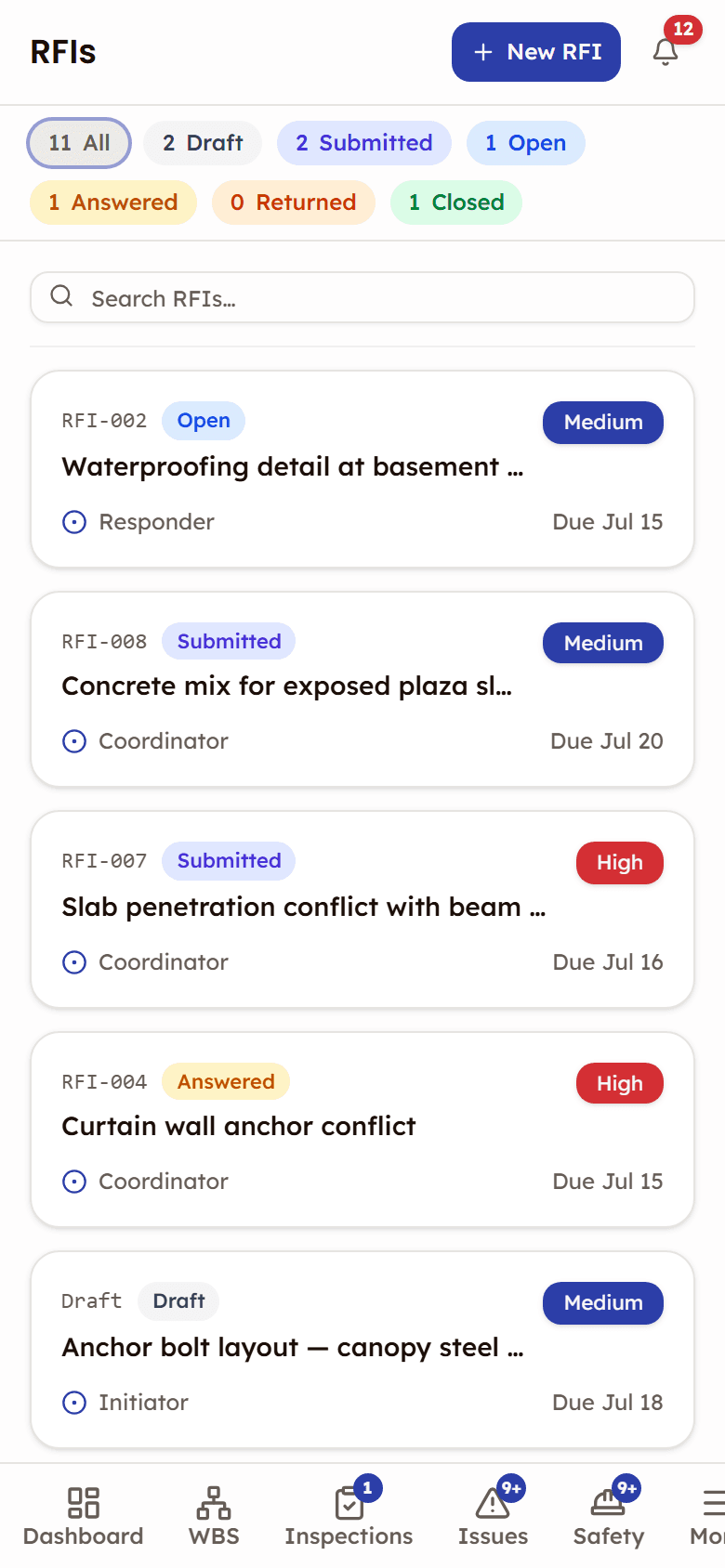
Built for the field
RFIs are in beta. They start where the conflict is found — at the workfront, phone in hand.
- Raise one with photos of the actual site condition attached
- In-app and email notification when the answer lands
Frequently asked questions
RFIs, documented
The help that opens inside the app, on the web: every screen, every status, and what each role can do.
Open the RFIs docsWorks with

See RFIs in action
See how field teams raise numbered RFIs with photo evidence and get official answers on the record — with ball-in-court visibility throughout.
Ball-in-court routing with response SLAs