Issues
One register for every defect and deficiency on the project — quality, safety, punch list, commissioning, environmental, and general — tracked from discovery to closure with photo evidence and full audit trail.
From discovery to closure
One register for how construction teams actually track and resolve defects — punch lists included, as the closeout category they've always been.
One register, six categories
Every defect on the project lives in one register — Quality, Safety, Punch List, Commissioning, Environmental, or General. Punch lists are a category, not a separate module: at closeout, filter to Punch List and you have your deficiency walkthrough.
- Six categories, one filterable register — no separate defect lists to reconcile
- Filter by category, assignee, priority, trade, or date range
- Subcontractors see only their assigned issues; PMs see everything
- Status badges — Open, In Progress, Fixed, Closed — at a glance
Before & after photo evidence
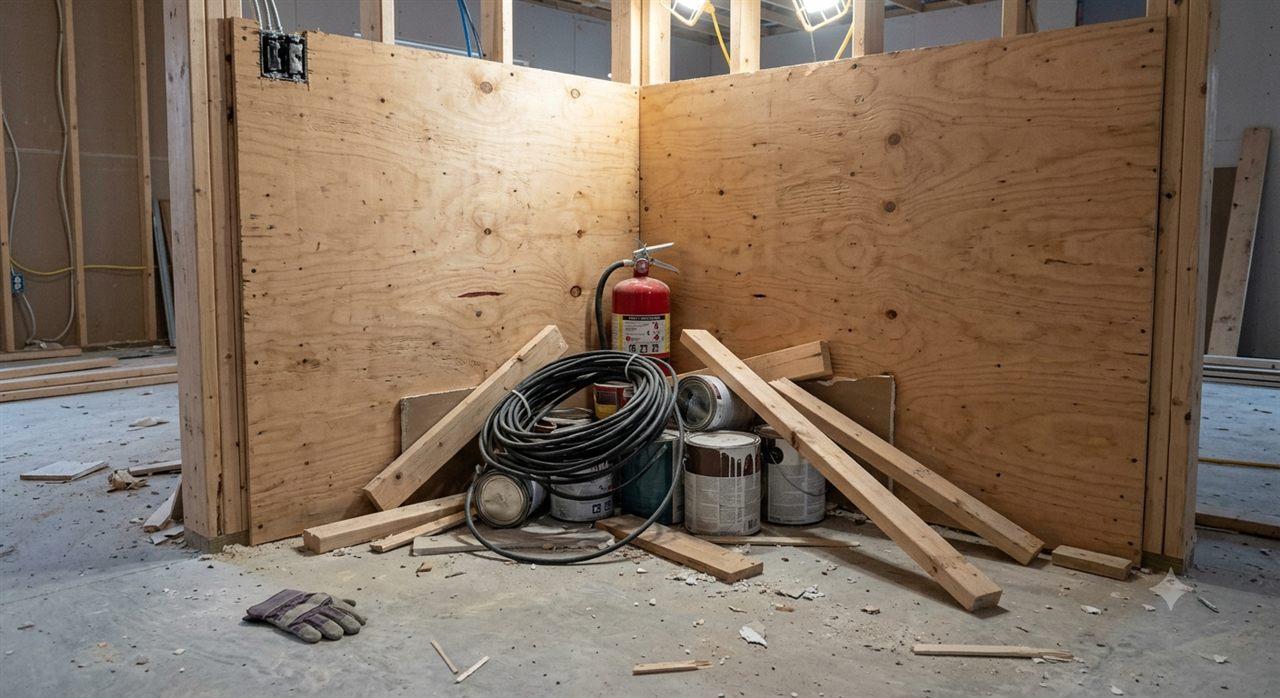
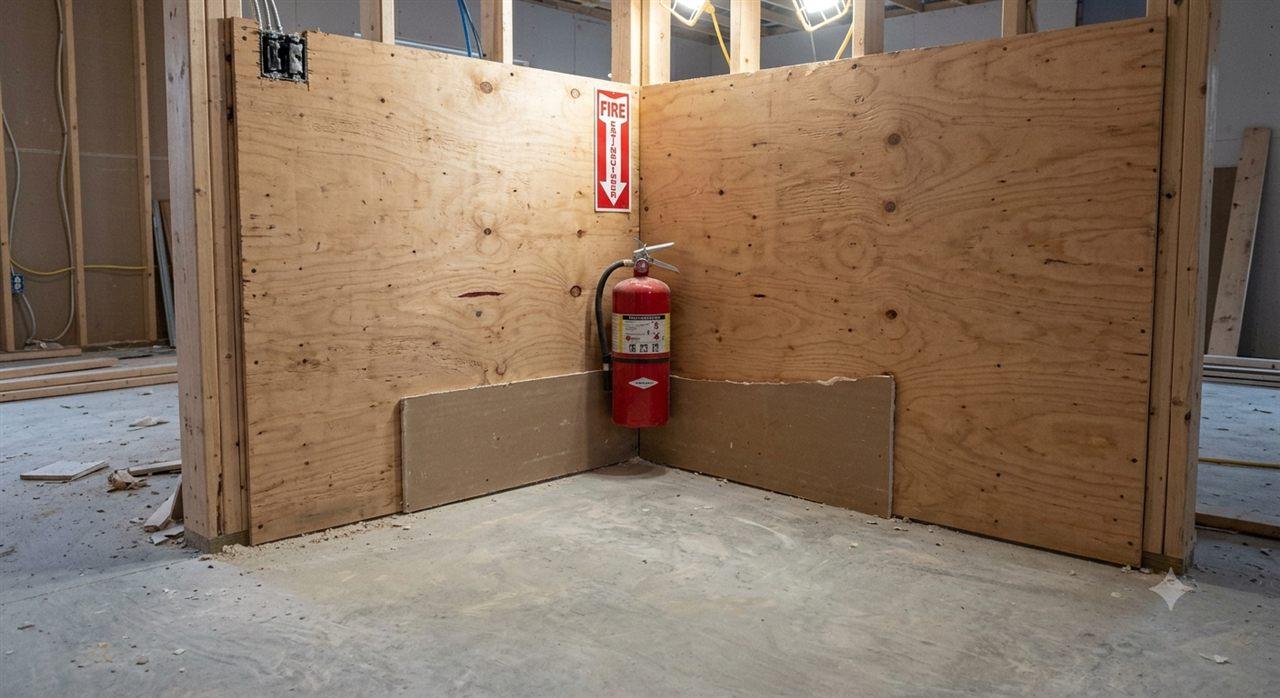
Attach up to 5 photos per issue directly from the field — the defect when found, the repair when done. Photos are compressed automatically for fast upload and kept at audit quality.
- Up to 5 photos per issue, captured in-app from the device camera
- Defect documentation and fix evidence on the same record
- Automatic compression for field upload, audit-grade quality retained
- Visual proof the work was actually completed
Inspection-linked traceability
Failed inspection checklist items auto-create quality issues, linked back to the source inspection and the exact checklist item that failed. One click takes you from the issue to the failure that raised it.
- Auto-created issues from failed inspection checklist items
- Link back to the source inspection and checklist item
- Manual creation still available — any category, from the register or a WBS item
- Full audit trail from defect to closure
Reinspection quality gate
Issues linked to inspections can't be closed without reinspection. If the fix fails re-review, the issue reopens automatically and a reinspection counter increments — so the team sees how many cycles a defect has gone through.
- Inspection-linked issues require verified re-review before closing
- Rejected fixes reopen the issue automatically
- Reinspection counter tracks repair cycles per defect
- All previous inspection results and notes preserved in history
More in the Issues module
The supporting register — everything else the module carries, on the record.
- Punch list at closeout
- Filter the register to the Punch List category and you have your deficiency walkthrough list — no separate module.
- Assignment & notifications
- Every issue gets an assignee, priority, and due date — the assignee is notified and tracks repair progress on the record.
- CSV export & reporting
- Filter and export issues as CSV; issue data feeds the Reports & Analytics module and Client Reports automatically.
- Reinspection history
- Every re-review cycle is preserved — results, notes, and a counter showing how many rounds a defect took.
- Trade & subcontractor scoping
- Subcontractors see only the issues assigned to them, while PMs keep the complete project picture.
Every view of the defect register
From the full register to the reinspection gate — three working views.
The full defect register with category filters, status badges, and assignees.
How it works
Three steps from defect discovery to closure.
Log the issue
Snap a photo, pick a category, add a description, and assign it. Failed inspection checklist items auto-create quality issues with a link back to the source.
Why switch from spreadsheets and email?
Most teams start with a shared spreadsheet or email thread. Here's what breaks and what changes.
The old way
- Defects tracked in email threads — items get buried, forgotten, or marked done without proof.
- No photo evidence linked to specific items — photos live in someone's camera roll or a shared folder nobody checks.
- No reinspection enforcement — items marked 'fixed' without anyone verifying the repair.
- No connection to the inspection that found the defect — traceability is manual and unreliable.
- Status updates require chasing people — 'Is item #47 done yet?' becomes a daily conversation.
With Construction Hub
- Every defect is a tracked issue with category, status, assignee, priority, and due date — nothing falls through.
- Up to 5 photos per issue — captured in-app, linked directly to the issue, timestamped.
- Reinspection quality gate — inspection-linked issues can't close without verified re-review.
- Auto-created from failed inspections — one click takes you from the quality issue to the failed checklist item.
- Status badges on one shared record — anyone on the team sees Open/In Progress/Fixed/Closed at a glance.
Built for the field
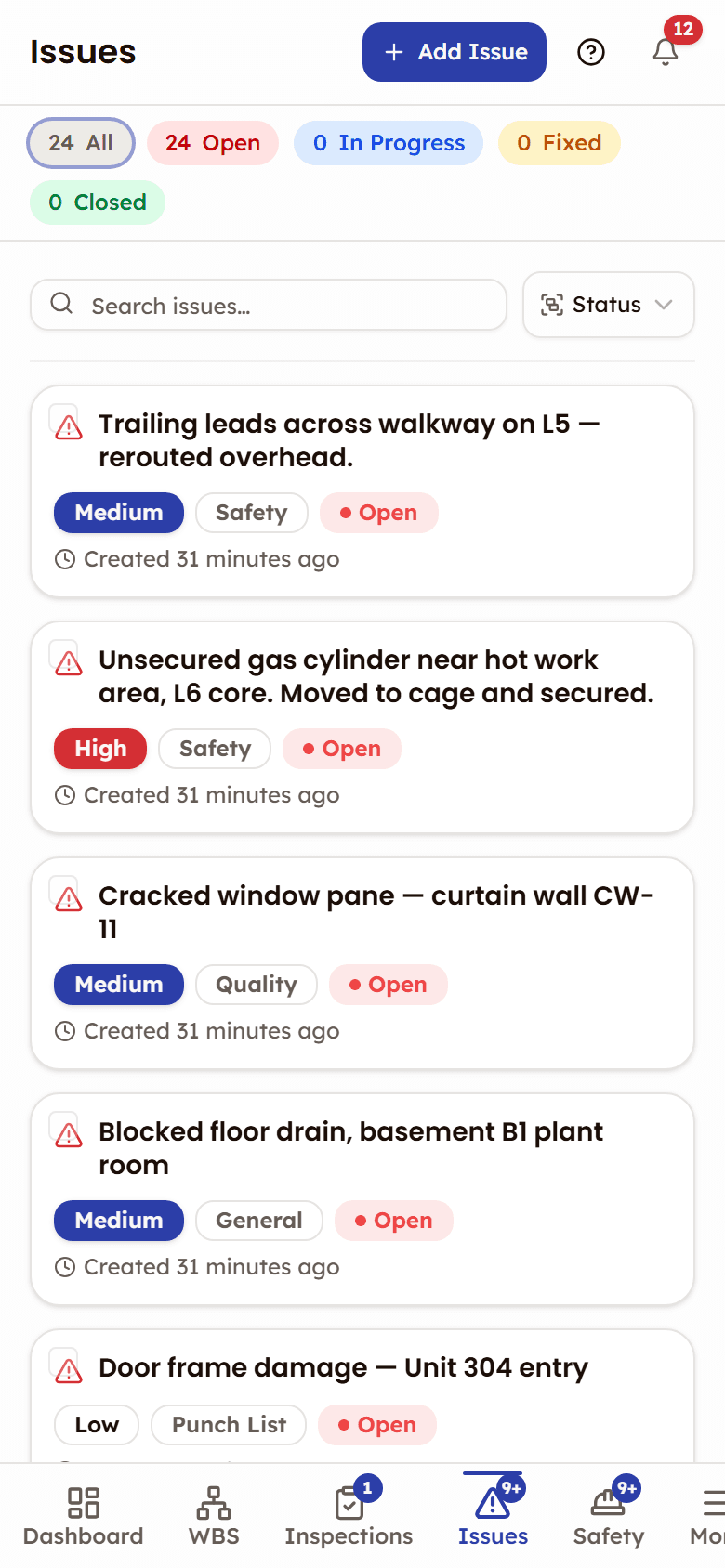
Issue tracking is a field-first workflow. In a phone browser the register is laid out for supers and foremen walking the site.
- At phone width each defect is a card instead of a table row
- Up to five photos of the fix, taken on the device camera
Frequently asked questions
Issues, documented
The help that opens inside the app, on the web: every screen, every status, and what each role can do.
Open the Issues docs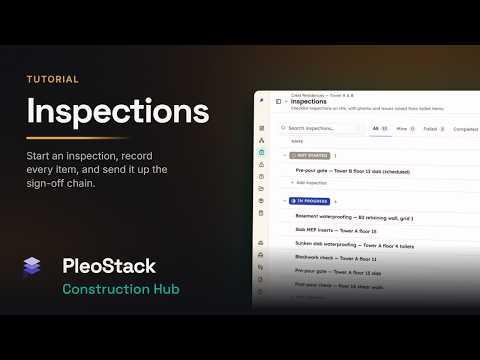

See Issues in action
See how defects go from discovery to closure — with photo evidence, reinspection gates, and full audit trail.
Every defect tracked from discovery to resolution