Entry 009
Construction Hub in Your Team's Language: The October Release
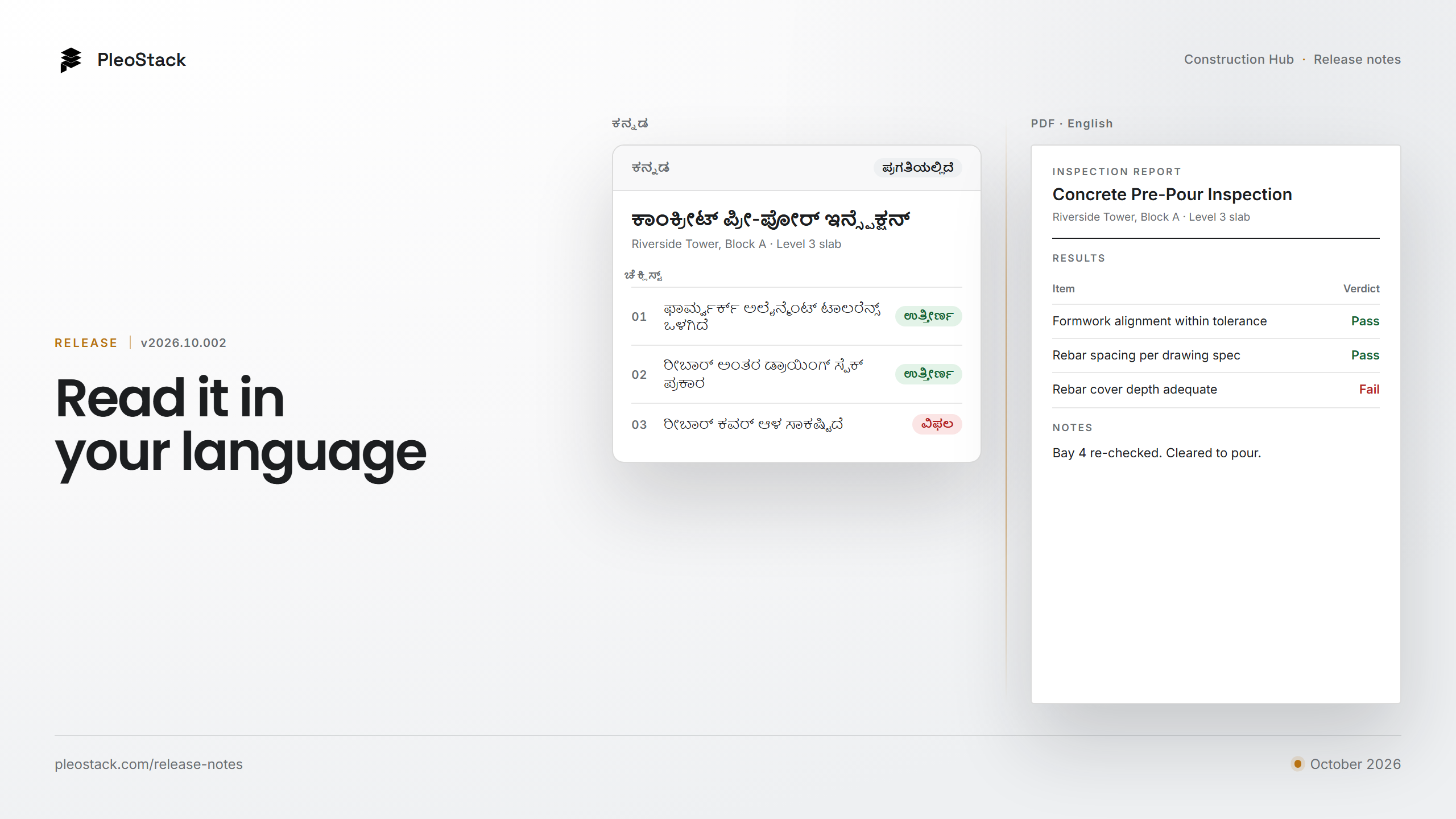
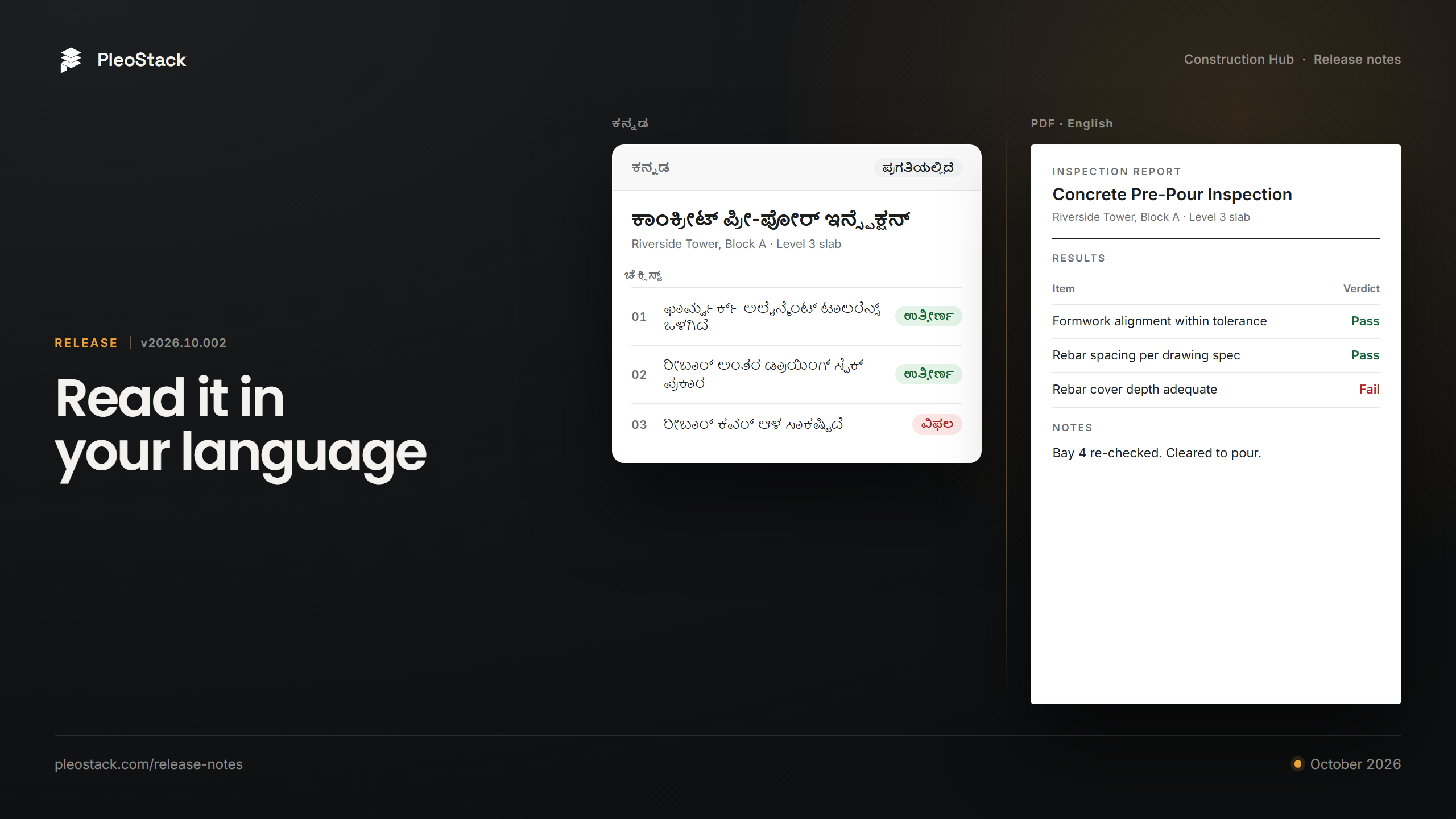
Construction Hub v2026.10.002 lets each person work in their own language, with Arabic right to left and emails, notifications and the inspection PDF following the reader. It also checks measured inspection items against their spec, keeps gallery photos out of evidence, and adds one search across the app.

Praful Rudra · Co-Founder & CEO
5 min read
A site team should not have to run its quality record in its second language. The foreman who reads the checklist, the engineer who signs it and the client who receives the PDF are often three people, each most at home in their own language. Release v2026.10.002 lets each of them work in it.
Everything in this post is on the Construction Hub web app.
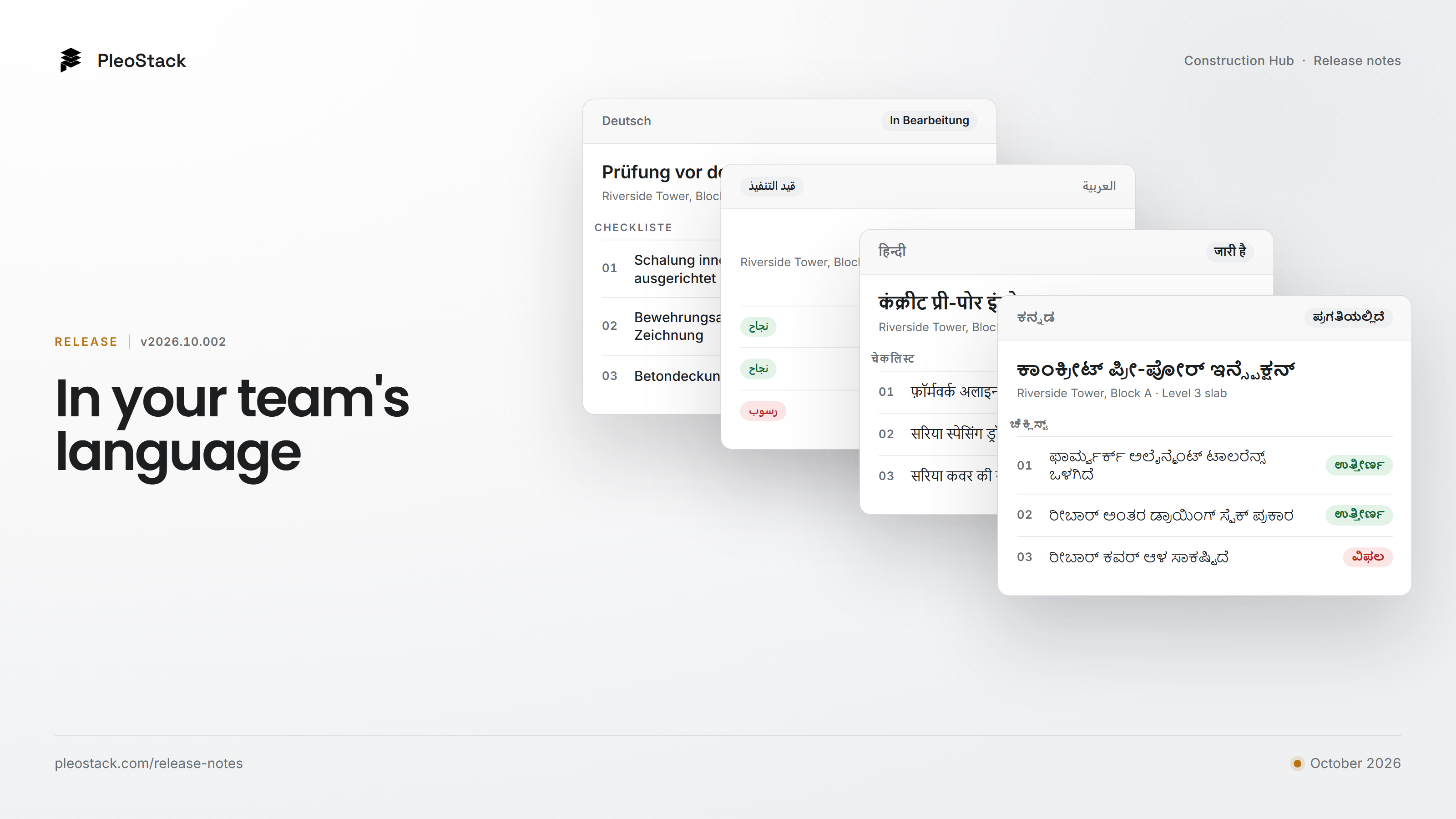
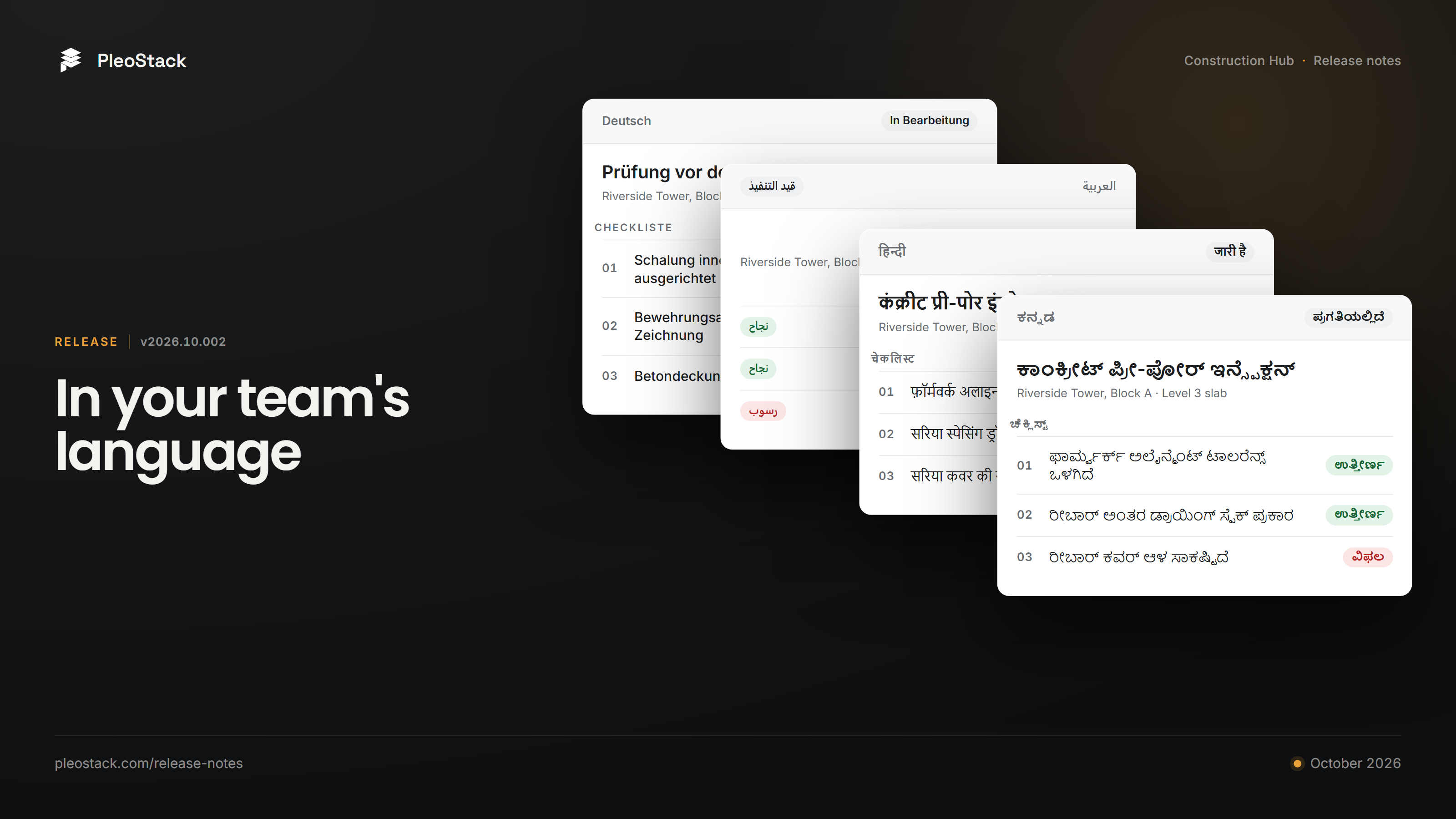
Construction Hub v2026.10.002 lets each person choose the language they work in. Arabic reads right to left, and emails, notifications and the inspection PDF follow the reader's language. Built-in checklists, roles and statuses translate until your team edits them; what your team writes stays exactly as written. The release also checks measured inspection items against their spec, adds a setting that keeps gallery photos out of inspection evidence, puts inspection numbers on the dashboards, and adds one search across the app.
Work in your team's language
See it in a minute: Construction Hub, in your team's language (video).
The language is a personal choice, not an organisation-wide switch, though an organisation can still set one language for everyone if it wants to. Each person picks theirs in their own settings, so the foreman and the project manager can open the same inspection and each read it in a different language. Nothing about the inspection itself changes: one record, read two ways.
- What follows the reader. The screens, the emails and notifications a person receives, and the inspection PDF printed from the web app all come out in that person's language. Two people sent the same notification each get it in their own.
- Arabic, right to left. In Arabic the whole app turns around: the navigation sits on the right and every screen reads right to left. The inspection PDF keeps codes, numbers and any English text in the right order inside a right-to-left page.
- Built-in content, until you change it. The roles, workflow statuses, checklist templates, permit templates and dashboards the Hub sets up for a new organisation show in each person's language while your organisation has not edited them. Once you edit one, it is yours, and it shows exactly as written.
- What your team writes stays as written. A comment, an issue description or a checklist your team built is never rewritten. The Hub translates its own words, not yours.
- Dates, numbers and money. Dates and numbers follow the company's or project's region, with month and day names in the person's language. Client reports show money in the project's currency, phone numbers take a country code, and the time zone picker lists every zone by its offset.
Languages are off until we switch them on for your organisation, so you only see the ones your teams use. Tell us which ones your sites need. If a term reads wrong for your trade, tell us that too.
Measured items, checked against their spec
"Cover 22 mm, spec 25 mm minimum" is a line that can still get a tick on paper. In the Hub it cannot. A measured checklist item can now carry its spec: a range, a minimum or a maximum, or a target with a tolerance. When the inspector types the reading, the item shows Within spec or Out of spec, and by how much.
Out of spec sets the item to Fail. If your checklist allows an exception, passing an out-of-spec reading needs a written reason, and that reason travels with the record. The inspection PDF and the shared link show each reading next to its spec, so the person reading the record later sees the number, the limit and the decision together. How verdicts and evidence work is in the inspections documentation.
Evidence you can stand behind
- Photos must be taken live. A new setting, for the whole organisation with a per-project override, makes inspection photos come from the camera and never from the gallery. A photo of last month's pour cannot stand in for today's.
- Re-inspections that do not stall. After a failed check, only the person a defect is assigned to can fix it, the inspection names whose turn it is, and you can send them a reminder. The re-inspection no longer waits on someone who does not know it is their move.
- Inspection numbers on the dashboards. The Portfolio and project dashboards now count inspections done, passed and failed, per inspector.
- Requirement tags, explained. A new help page explains the tags on each checklist item: what each item needs before it can be completed.
Across the web app
- One search. Search the whole app from the top bar, or press Ctrl+K on a computer.
- One way of working with lists. Every list in the app now behaves the same way, so what you learn on one register works on the next.
- A clearer roles page. Each permission shows how far it reaches (your own work, the project or the whole organisation) and explains what it allows. You can preview the app as any role before you hand that role to someone.
- Your company, once. One Company page in Settings, and your company logo on reports and across the app.
- Safety (beta). A permit's expiry warning now scales with the length of the permit, and a stand-down asks you to confirm before it notifies the project.
Nine set-up tutorials
Setting up the Hub is now a playlist of nine short tutorials: build a checklist, group checklists into a template, set your inspection rules, set up roles and permissions, invite people, set up a project, build the programme, organise document folders and add your vendors. They sit beside the articles in the documentation.
The full list, including the fixes, is in the Construction Hub release notes.
What stays in beta
Safety and RFI remain in beta. Both are in production and usable, and both carry the label until they have had a versioned release of their own.
If your site teams work in more than one language and you want to see how the Hub reads in theirs, book a demo. Bring one of your own checklists, and tell us which languages your crews use.